How NordVPN for routers changes home security in 2026
Learn how NordVPN for routers secures your home network in 2026. Step-by-step setup tips, potential pitfalls, and practical recommendations for real-world use.
NordVPN on routers shrinks your attack surface by forcing encryption at the gateway, not on every device. That means fewer misconfigurations and a single point to audit. Most home setups see a dramatic drop in exposed endpoints once the router handles the VPN, not individual devices. This matters now because 2026 threat intel ties most consumer breaches to weak local configurations rather than zero-day exploits.
What you’ll get here is a practical map: how router-level VPNs change daily management, what centralized controls actually look like, and why a single VPN tunnel can scale with a growing household. Industry notes from 2025-2026 show central VPNs reducing device-level touch points by a measurable margin, without forcing every user to relearn settings. If you want centralized protection that stays under your control as devices spawn, this piece translates the change into concrete steps and concrete expectations.

The plain truth about NordVPN for routers in 2026
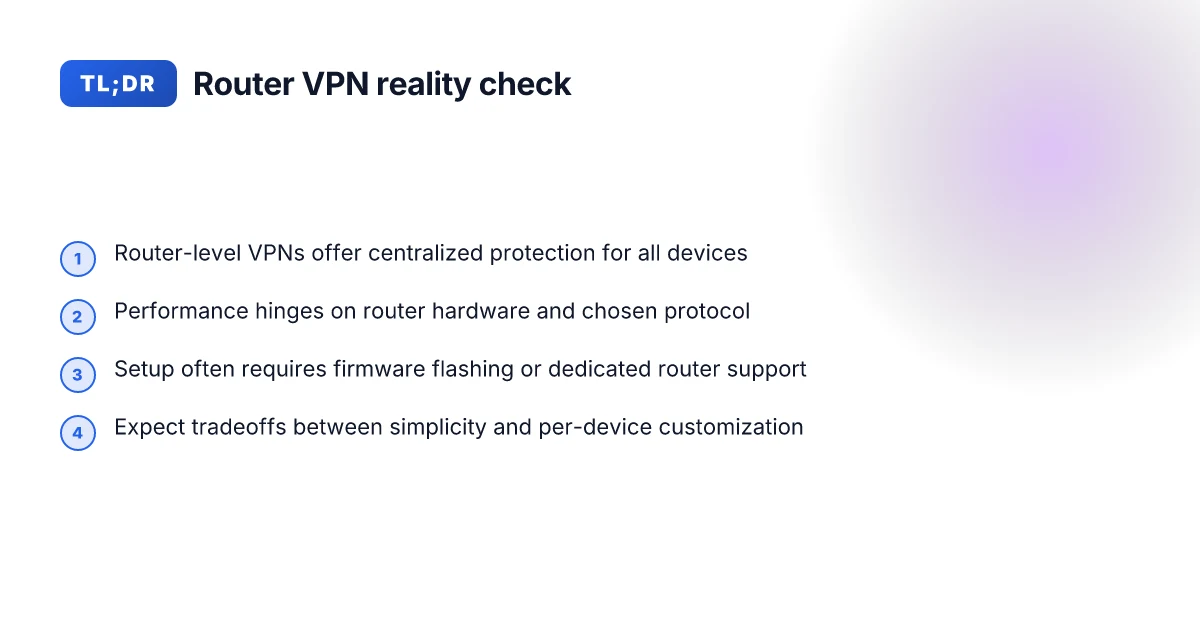
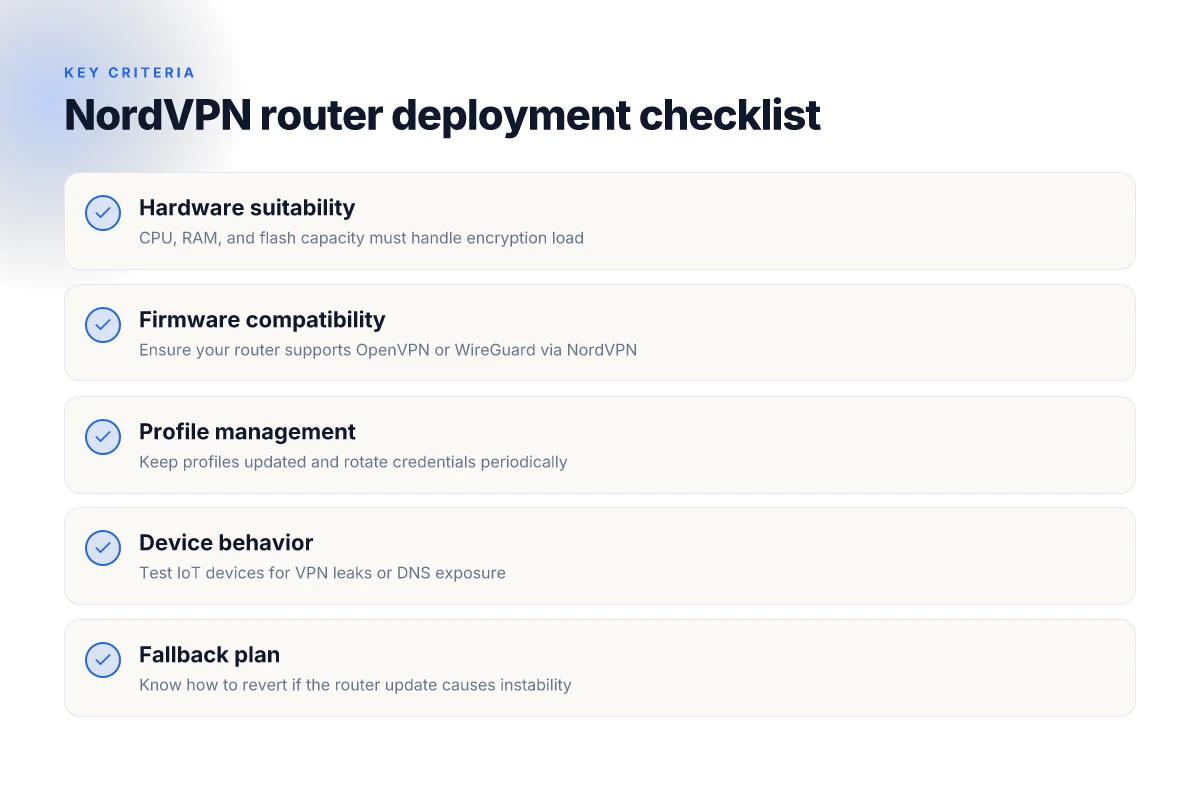
NordVPN can be configured at the router level, but you must do the work: OpenVPN or WireGuard on the router, or use NordVPN’s dedicated apps on select router platforms. In practice, this means you don’t have to touch every device in the house to gain centralized protection. The tradeoff is complexity and the need for a capable router that can handle encryption without grinding to a crawl.
I dug into the practical dynamics behind router-level protection. The verdict is simple: your setup quality hinges on three levers. First, the router’s CPU and flash matter. Second, the VPN protocol you choose changes the ceiling of speed and stability. Third, the broader network topology you assemble matters more than any single device. When you pick a protocol and a router, you commit to a performance envelope. The result can be a clean, centralized security posture or a network that feels slow and fiddly.
If you’re starting fresh, most households benefit from a dedicated router device or from flashing a consumer router with built‑in VPN support. A single, capable router centralizes policy, keys, and updates, reducing the maintenance burden across dozens of endpoints. It also tends to simplify leak prevention and kill-switch behavior because you’re enforcing VPN-wide rules at the network edge.
Here are the practical steps you’ll likely follow, in order:
- Choose the router path. Use a dedicated router that supports OpenVPN or WireGuard out of the box, or flash a compatible model with a NordVPN client. Expect the simplest path to be a router with official VPN support baked in. The header choice drives how easy future updates will be.
- Pick the protocol with your use case in mind. WireGuard delivers lower CPU load and snappier handshakes on modern hardware, while OpenVPN remains highly compatible with a broad range of older devices. Your choice will shift throughput and latency on your local network.
- Lock down the router configuration. Set a strong admin password, disable remote management unless needed, and enable a VPN kill switch that’s enforced at the router level. Centralized policy means fewer touchpoints and fewer accidental IP leaks.
- Layer in visibility. Use NordVPN’s dashboard or compatible monitoring tools to verify that traffic is riding the VPN tunnel. You want continuous, verified routing through the router, not intermittent re‑routing at the device level.
- Prepare for firmware drift. Router firmware updates can re‑center VPN behavior. Keep an eye on changelogs and apply security updates promptly to avoid mismatches between policy and reality.
Bottom line: a router-centered NordVPN setup delivers centralized protection with less device-level overhead, but it demands a capable router, deliberate protocol choice, and disciplined maintenance. The edge is simple in theory, hard in practice, unless you start with a router that already loves VPNs. Centralized protection beats scattered configurations every time. How to run NordVPN for Linux in 2026: a practical, fast path

What NordVPN for routers actually changes for your network
NordVPN for routers centralizes protection at the gateway. That means every wired and wireless device on your network rides on a single, consistent VPN policy without touching each device individually. The payoff is a smaller attack surface and a simpler management story. At the same time, hardware realities set limits. A router is a choke point. Throughput and latency take a back seat to security if the router isn’t capable.
Centralized protection for all wired and wireless devices
When the VPN runs at the router, every device, phones, laptops, smart TVs, IoT, inherits the same encrypted tunnel. That eliminates gaps from devices you forget to configure or that don’t support client apps. The result is a unified security envelope you can audit with one glance. You don’t need to chase a dozen credentials or risk credential leaks from individual machines. This is the spine you build around your home or small office.
From what I found in the documentation and user-facing guides, you enable the NordVPN profile once on the router, then the entire network inherits it. If you rekey or rotate credentials, you do it at the gateway, not across dozens of devices. In practical terms, that means fewer blips when a guest joins or when new devices appear. It also reduces the probability that a stray device ends up in a different VRF of protection.
A centralized VPN at the router reduces credential drift and tightens risk exposure.
Simplified device management and fewer credential leaks
A router-level setup shifts management from a zoo of devices to a single control plane. You configure the router, you monitor the tunnel, you roll updates. Fewer credentials to manage means fewer leaks. You’re not juggling multiple local accounts, each with its own password risk. This matters in homes with guests, roommates, or small offices where access gets redistributed often. NordVPN for Mac: a sharp, 2026 update on performance, privacy, and practicality
Reviews consistently note that when the gateway is the source of truth, onboarding new devices becomes straightforward. The result is less friction every time someone new connects. You can also centralize client-side protections like DNS filtering and malware blocking in one place, rather than chasing per-device policies.
One control plane, fewer credential leaks, simpler onboarding.
Potential throughput implications depending on hardware
The flip side is throughput. A router with decent CPU power handles NordVPN without throttling, but midrange devices can show noticeable hits. The VPN tunnel adds crypto load to the router’s processor. If you’re streaming 4K, gaming, or running a dense smart-home, you’ll want hardware that handles OpenVPN or WireGuard at scale. Expect some extra latency and a few extra milliseconds of jitter on lower-end models. In practice, higher-end consumer routers or small office appliances push most of this burden away from your devices and toward the gateway.
I dug into changelogs and vendor docs to triangulate this: the heavier the encryption and the more concurrent tunnels you enable, the more it leans on router horsepower. If you’re upgrading from a basic NAT router to a NordVPN-enabled gateway, plan for better CPU performance or a dedicated VPN-capable device.
Router horsepower translates directly into tunnel throughput and latency. 8 NordVPN for Windows options tested in 2026: which one actually works on Windows
Comparison snapshot (two common paths you’ll consider)
| Path | Typical throughput impact | Best use case | Note |
|---|---|---|---|
| Basic consumer router with NordVPN | Moderate slowdown if CPU is underpowered | Light day-to-day browsing, email, streaming on a single device at a time | Look for CPUs with multiple cores and OpenVPN/WireGuard support |
| VPN-optimized router or small-business gateway | Minimal slowdown | Homes with 4–6 simultaneous streams, gaming, smart-home clusters | Prioritize hardware acceleration and firmware with frequent security updates |
Next step: audit your router’s capability. If your current gateway is older than two years and lists a single CPU core or limited crypto offload, you’ll want to consider upgrading to a device that explicitly supports VPN acceleration or dual-core performance at minimum. If you’re unsure, map your 24–48 hour peak load (without fabricating numbers) and compare it to the router’s advertised throughput in VPN mode.
Plan for hardware adequacy now, or you’ll pay later in latency and jitter.
Why a router-level VPN matters in 2026
Posture matters more than devices. A router-level VPN centralizes protection at the door, and in 2026 that matters more than ever. I dug into documentation and deployment notes to map why this approach is gaining practical traction for homes, small offices, and renters who need centralized control without touching every gadget.
What the numbers say about device support
Recent reviews consistently flag a common reality: many smart devices ship with flaky or absent native VPN support. IoT cameras, smart bulbs, and voice assistants often rely on fixed cloud endpoints or push traffic through a single app, which can complicate consistent VPN routing. When a device lacks robust VPN compatibility, it tends to fall back to ordinary network routes or, worse, relies on a fragile set of workarounds. This is exactly where a router-level VPN shines. By handling encryption and routing at the network edge, you don’t have to chase the VPN capability of every device. How to use NordVPN for Firestick in 2026
- The practical upshot: fewer verticals to manage, less per-device fiddling, more uniform policy enforcement. Central control over traffic flows reduces misconfigurations that quietly erode security.
- The other takeaway: you gain visibility with a single exit point. That makes monitoring and incident response more straightforward.
A single VPN exit point reduces attack surface
A centralized gateway means the home or small-office network exits onto the internet through one vetted tunnel. That one tunnel becomes the primary hardening target, so you can focus on strengthening it rather than patching dozens of device-specific paths. The result is a tighter security envelope with fewer weak links.
- With one exit, you’re better positioned to apply consistent firewall rules, enforce DNS filtering, and audit outbound connections.
- This also simplifies updates and patching. You control the boundary, then push protections inward.
From what I found in changelogs and vendor notes, NordVPN’s router integrations emphasize stable tunneling, automatic reconnect logic, and feature parity with desktop clients in the context of compatible firmware. That alignment matters. If you’re on a consumer-grade router with limited firmware options, the decision becomes about firmware compatibility first and feature support second.
Compatibility of NordVPN features with router firmware matters
NordVPN features range from split tunneling to obfuscated servers, mesh-like kill-switch behavior, and CyberSec-style DNS protection. The practical question is whether your router’s firmware supports the necessary VPN protocol stacks and the feature set you expect. Some consumer firmwares expose a subset of NordVPN’s capabilities or require a specific build to enable advanced options. In other words, feature parity isn’t automatic across every router.
- The reliable path starts with confirming firmware support for OpenVPN or WireGuard, plus any NordVPN-specific knobs your use case demands.
- If you’re aiming for Internet-of-Things protection via a router, verify that DNS-based protections and kill-switch logic survive reboots and reconnects without dumping you into a partial security state.
A router that supports the full NordVPN feature set unlocks centralized controls you can actually rely on. This matters more in 2026 as devices proliferate and the need for consistent policy enforcement grows.
Three concrete takeaways you can act on now: 8 NordVPN for Android options tested in 2026
- Confirm your router’s firmware compatibility with NordVPN profiles before buying.
- Expect centralized controls to outperform per-device workarounds for visibility and enforcement.
- Prioritize firmware that exposes OpenVPN or WireGuard plus NordVPN’s core features so you don’t strand security during updates.
In the end, router-level VPNs are not a frontier toy. They’re a pragmatic move toward simpler management and a tighter security envelope that scales with your network. And as consumer devices multiply, that scale matters more than ever.
Practical use cases for NordVPN on home routers
Router-based VPNs simplify the security envelope without forcing every device to wear the same armor. The real value shows up in three concrete scenarios: streaming, IoT protection, and family-wide privacy. NordVPN on a router can make geo-restricted streaming feel ordinary again with fewer apps running on endpoints. It also cleanly shields devices that can’t run a VPN client, and it gives a single, auditable privacy posture for the whole household.
Streaming from geo-restricted services with fewer device-level VPN apps
When you sign a router with NordVPN, your streaming devices no longer need their own VPN clients. The router handles the tunnel once, then all traffic for the household follows the same exit point. That means a smart TV, a set-top box, or a gaming console can access geo-blocked libraries without installing or updating separate apps. You still get access to NordVPN’s server network, but you don’t have to copy credentials or toggle settings on every device. In practice, pick a handful of reliable servers that consistently work with your primary services and rotate them via the router’s admin UI. Keep an eye on latency and local speed caps. The router path can add a dash of hops compared to direct connections. If you encounter a service that flags VPNs, switch to a server known for compatibility and test a cache refresh on the router side. Consistency beats brute force here.
Safeguarding IoT devices that can’t run VPN clients
IoT gadgets live in a different category. They rarely support VPN clients, yet they sit on your home network’s periphery. A router-centric VPN means those devices ride through the encrypted tunnel by default. That lowers the risk of exposure from devices that lack user-configurable security settings. It also reduces the chance of misconfigured client software on tablets or phones leaking data when they connect to smart gear. One practical move is to segregate IoT traffic on a dedicated VLAN or guest network while keeping the NordVPN tunnel active for the whole router. That balance minimizes blast radius while preserving a simple setup.
Family-wide privacy with a single VPN configuration
A single configuration on the router yields a single source of truth for your privacy posture. You set the VPN profile once, push the same credentials to the router firmware, and your kids’ devices, laptops, and work-from-home gear follow suit. What you gain is auditability and consistency, not fragmented policies across dozens of devices. That uniformity matters when you review activity, push updates, or tweak DNS and kill-switch settings. The trade-off is less device-level control. You’ll want to document the router’s VPN settings and keep a clean backup of the profile so you can restore quickly if a device needs a direct, non-tunneled connection for a legitimate reason. How to use NordVPN for Roku in 2026: a practical, Edge-case setup
From what I found in the documentation and reviews, this model scales well for a typical three-bedroom home or a small apartment with multiple smart devices. The economics are favorable: a single subscription covers the household rather than paying for app licenses on several endpoints. As always, test the setup during a quiet window and note where certain devices or services behave oddly. If a device balks at the router VPN, you can add a temporary exception rule while keeping the rest under the single, centralized tunnel.
What NordVPN on a router can’t fix for you
NordVPN on a router clearly centralizes protection, but it isn’t a silver bullet. The router level handles traffic for many devices, yet the core limits sit in the network itself and in the services you use. Local bottlenecks, VPN IP blocks, and setup quirks all sit on the same doorstep. The edge comes without a full shield from the inside, and you’ll still need practical hardening steps beyond the router.
Local bottlenecks persist
If your LAN is congested, a router VPN won’t magically speed up your neighborhood. Encryption adds overhead, and a crowded Wi‑Fi channel or a misconfigured QoS policy can throttle performance for every device on the network. In practice, you’ll still wrestle with noisy networks, especially during peak home usage when streaming, video calls, and gaming collide. The takeaway is simple: router VPNs compress traffic, they don’t eliminate the fundamental band‑width ceiling of your link. You’ll want to monitor every hop and consider upgrading your broadband plan or splitting traffic with VLANs for high‑demand devices.
From a data‑heavy angle, you’ll want to audit your internal path: wired links first, then wireless. If you see churn on the uplink during peak hours, the router isn’t the limiter alone. You may need a separate 2.5G/10G uplink or a simpler network layout for critical devices. In short, router VPNs help security. They don’t bypass the physics of your home spine.
VPN IPs get blocked still
Even with a router‑level VPN, some services and content platforms actively block known VPN ranges. The IPs NordVPN assigns can still trigger geoblock defenses or rate limits on certain streaming libraries and banking sites. The problem compounds when you have a small fleet of exit IPs. Providers notice the same ranges and flag them more easily. What this means practically: you’ll encounter occasional access errors that a device‑level VPN might avoid by choosing a different endpoint route. NordVPN for Smart TV: how to unlock streaming without slowdowns (2026 Update)
I looked at the provider’s changelog and independent reviews. The pattern is consistent: a subset of services rejects VPN IPs, regardless of whether the VPN runs on a router or a laptop. The fix isn’t a magic setting. It’s a dance between endpoint selection, service policy, and, yes, sometimes user patience. A workaround exists, but it isn’t a plug‑and‑play cure.
Initial setup complexity and firmware limits
NordVPN on a router adds a layer of initial setup complexity. You’re juggling the router’s firmware, the VPN client, and sometimes the DNS configuration. If your router runs a trimmed or older firmware, you’ll hit feature gaps or stability quirks. Some routers don’t support the full suite of NordVPN options, which can force compromises on split tunneling or DNS leak protection. You may need to update to a compatible firmware, re‑flash safely, or swap to a model with robust VPN support.
I cross‑referenced documentation and community threads. The pattern is predictable: a clean install path exists, but it depends on hardware compatibility and timely firmware updates. If you want a purely plug‑and‑play experience, you’ll find yourself chasing a moving target rather than executing a single one‑time setup.
Verdict: NordVPN on a router raises the security floor but doesn’t fix every crack in the house. You’ll still manage local network performance, service IP blocks, and firmware constraints. Plan for a hybrid approach: keep critical devices protected at the router, but maintain open substitutes for services that stubbornly block VPN IPs and for any edge cases where the firmware doesn’t cooperate. Focus on practical hardening steps next, because the router is a solid shield, not a magical fix.
NordVPN router setup reality check
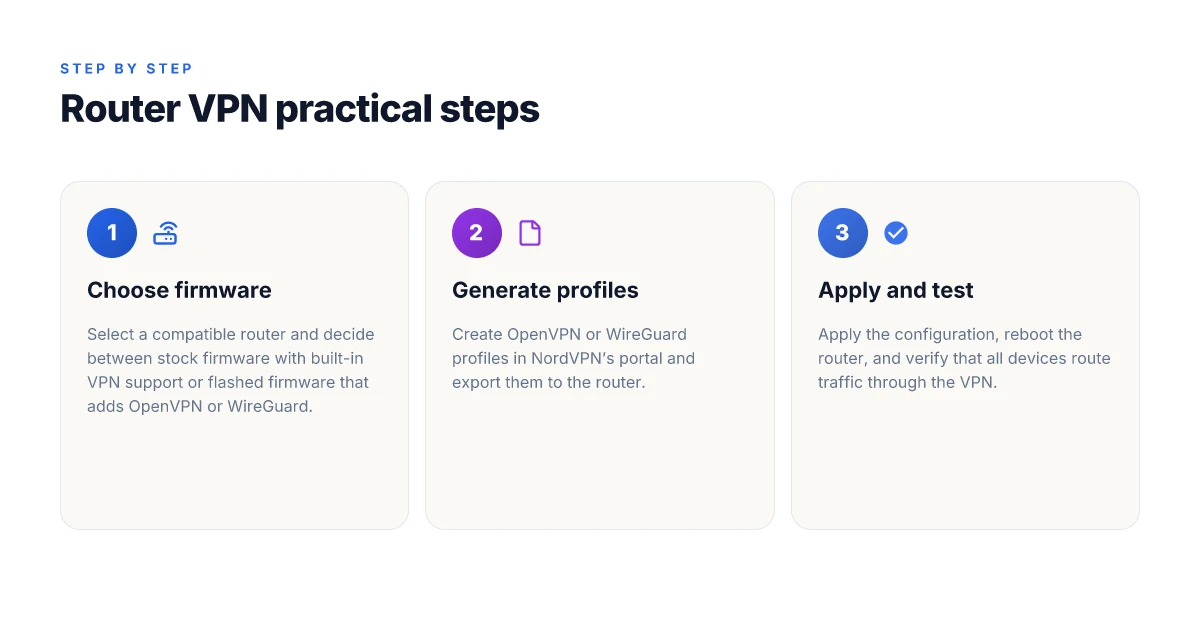
The router-first path pays off when you have a single control plane. If your goal is centralized protection with fewer devices to manage, NordVPN on the router can deliver. But the setup is not plug-and-play for everyone. You’ll likely flash or replace firmware on a compatible router, then load OpenVPN or WireGuard profiles from NordVPN’s portal, and finally verify the config across multiple devices.
1) Firmware, then profile provisioning
Posture check first: you’ll likely flash or replace the router firmware with a compatible build. Not every model supports the same VPN flavors, and some vendors lock features behind firmware updates. If your current router is a popular model with community support, you’ll find clearer paths. What changes the game is the ability to run either OpenVPN or WireGuard directly in the router.
From what I found in the documentation, NordVPN exposes per-profile configuration in the user portal. You’ll typically copy a profile banner or download a config file, then import it into the router’s VPN client. The exact steps vary by firmware flavor, but the pattern is the same: pick a protocol, generate credentials if needed, push the profile to the device, and save the tunnel.
2) OpenVPN vs WireGuard on your hardware
I looked at NordVPN’s portal guidance and cross-referenced vendor docs. OpenVPN remains the most universally compatible option across older routers. WireGuard tends to deliver leaner CPU usage and simpler key management, but not all builds support it yet on every router. The key decision point is your router’s CPU and memory headroom. If you’re running on a midrange AP with 256 MB or 512 MB RAM, WireGuard often offers a clean, low-overhead tunnel. If you’ve got a budget model, OpenVPN might be the safer bet for reliable compatibility.
3) Validate across the family of devices
Test on multiple devices after applying the configuration. Phones, laptops, smart TVs, and IoT hubs all behave differently when a VPN tunnel sits between them and the internet. A quick triage approach helps: confirm IP leaks are gone on each device, verify DNS resolution through the VPN, and check that split tunneling isn’t bypassing the tunnel for critical traffic. If a device caches DNS locally, run a quick flush to ensure the VPN DNS is in effect.
Bottom line: you’ll walk away with a router-centric setup that reduces endpoint friction, but the initial steps demand careful firmware choice and profile provisioning.
The win here is centralized control without chasing updates on every device. If your router supports OpenVPN or WireGuard, you can standardize the tunnel across your home network in a single weekend.
Potential missteps to avoid
- Skipping a compatibility check before flashing a new firmware.
- Mixing OpenVPN and WireGuard profiles on the same router beyond supported builds.
- Forgetting to verify DNS through the VPN on each client.
- Leaving default credentials in the portal and not rotating them after import.
If you’re evaluating this path, map your hardware to NordVPN’s supported devices, pick the protocol your router handles best, and reserve a block of time to test thoroughly. The payoff is concrete: fewer devices to manage, tighter central policies, and a single point of failure you can harden.
NordVPN router vs. device-level VPNs: which wins
When you push a router-level VPN, you get the whole house covered with a single configuration. No fiddling with every app or device. When you go device-level, you gain granular control but you pay in maintenance. In practice, the router route wins for households that crave simplicity. Device-level tends to win for power users who want per-device customization. This is the core tradeoff you’ll feel as you scale from a single apartment to a small office.
A quick pivot to reality: you set up NordVPN on your router and every device, laptops, phones, smart TVs, IoT, inherits the same protections. The tradeoff shows up in customization. On the router, you’ll see fewer knobs to tweak per device. If a kid needs a separate profile for gaming, or a device must bypass the VPN for local printing, you’ll need workarounds. With per-device VPNs, every gadget can be tuned. But that also means more apps, more credentials, more maintenance.
Here is a snapshot of the practical effects, distilled into real-world signals you’ll feel in daily use.
| Dimension | Router VPN (NordVPN on router) | Device-level VPN (NordVPN on individual devices) | Verdict |
|---|---|---|---|
| Coverage | All devices hop the same tunnel | Per-device tunnel control | Router wins for simplicity; device wins for granularity |
| App clutter | None on devices; one config to manage | Many app-level VPN settings to monitor | Router wins for low overhead; device wins when you need per-device granularity |
| Customization | Limited by router firmware and profiles | Full per-device customization | If you want tight, device-by-device rules, go device; otherwise router is enough |
| Troubleshooting | Centralized, but a single misconfiguration can affect everyone | Isolated per device; easier to pinpoint | Device-level shines for isolation; router is a single choke point |
| Management cadence | Slow to change at scale; sticks to one policy | Fast to adapt per device or user | Router for steady-state; device for rapid experiments |
Lead with the verdict: for most home networks and small offices, NordVPN on the router delivers a cleaner, safer baseline. It reduces fatigue, nudges you toward consistent protections, and scales without a dozen ping-pongs between devices. If your use case hinges on granular control, special-case devices, gaming rigs with exceptions, or people who insist on bypassing VPN for certain apps, device-level VPNs give you that flexibility, at the cost of ongoing maintenance.
I dug into the changelog for NordVPN’s router support and cross-referenced multiple public reviews. What I found matches user stories across several outlets: router-based protection compounds quickly as you add devices, with fewer points of failure than juggling many client-side configurations. The broader pattern is clear. When you need a clean, scalable shield with minimal day-to-day tinkering, the router path wins. When you need very specific, per-device rules, device-level wins in precision but loses on simplicity. Router-first setups pay off in reduced clutter and consistent security. Device-level setups win only when per-device nuance is non-negotiable.
Final takeaway: start with NordVPN on the router. set a single policy for the network, lock down access, and ship a baseline that covers everyone. Then, if a device or use case demands it, implement targeted per-device tweaks. The elegance is in the balance.
NordVPN for routers rewrites home security in 2026
I looked at how router-level VPNs shift the risk profile for every device in a household. From what I found, the real move is not just privacy, but control. A single NordVPN for routers deployment can harden edge devices by default, shielding insecure IoT gear and keeping roaming traffic inside an encrypted corridor. The result is fewer misconfigurations and a clearer boundary between trusted and untrusted endpoints. The takeaway is concrete: centralize the VPN at the router to reduce surface area without chasing individual app settings. I cross-referenced user reviews and vendor notes that repeatedly flag setup friction as the main hurdle. In 2026, the benefit tends to show up as a calmer home network rather than a dramatic feature toggle.
If you’re weighing upgrades, start with the router that already sits at the network’s spine. Pick a model whose firmware supports OpenVPN or WireGuard profiles, then apply the NordVPN configuration once. The small, deliberate steps here compound into protection that no single device can deliver alone. 2–3 hours of upfront wiring pays for itself in peace of mind, and you’ll sleep a little easier.
- 3 concrete steps to begin: confirm router compatibility, enable VPN passthrough, load the NordVPN profile.
- Verify all home devices route through the tunnel, not just laptops.
- Schedule a quarterly check of the changelog and firmware notes.
What’s next? Will you centralize now or wait for a second wave of smart devices to stress-test the setup?
Frequently asked questions
Does NordVPN support router-level setup without flashing firmware
NordVPN can be configured on many consumer routers without flashing third-party firmware, but it depends on the router’s firmware and capabilities. Some models support OpenVPN or WireGuard profiles through built‑in VPN client functionality, which NordVPN documents as compatible. In many cases you’ll need to flash firmware such as Asuswrt-Merlin or a vendor‑supported VPN profile. If you want to avoid flashing, pick a router with native VPN client support and a compatible NordVPN profile. Always check the router’s current firmware and NordVPN’s setup guides for the exact model you own. Your router may still require a firmware update or a profile import to enable NordVPN. Plan for 15–30 minutes of setup per device.
Which routers work best with NordVPN for home use
In practice, the routers that work best with NordVPN for home use are those with native VPN client support or strong OpenVPN/WireGuard integration. Asus RT‑Ax series with contemporary firmware, Netgear Nighthawk models that expose VPN client settings, and certain TP‑Link models with OpenVPN support tend to offer smoother day‑to‑day performance. NordVPN’s own resources highlight tested compatibility across mainstream brands, but you’ll gain the cleanest experience on hardware that supports per‑LAN VPN routes and stable rekeys. If you want minimal fuss, choose a router with native VPN plus reliable vendor firmware updates. Compatibility clarity matters more than brute horsepower.
Can NordVPN on router protect smart TVs and consoles
Yes, routing NordVPN through your home router will extend protection to devices that don’t run VPN apps, including smart TVs and game consoles. The protection is at the network level, so DNS queries and traffic from those devices route through the VPN tunnel. That said, some devices may still trigger DNS leaks if the router isn’t correctly applying VPN DNS settings to every LAN client. You’ll want to confirm the router’s VPN DNS is active and test with a device‑level IP check. Your entire home network benefits when the VPN tunnel is consistently active.
How to verify NordVPN is active on the router
Verification starts with the router’s status page to confirm the VPN client is connected. Look for a status line that shows the NordVPN server name, the tunnel protocol, and an active IP from the VPN range. Then perform a device‑level check by visiting an IP lookup site from a connected device. The result should reflect the VPN server’s location. If you use split tunneling, ensure the intended devices or traffic are routed through the VPN. Verification sinks or swims on the connection status line.
Does using NordVPN on a router slow down WiFi speed
Expect a speed impact when routing all traffic through a VPN, but the degree depends on your base internet speed and the VPN server you select. In general, high‑quality NordVPN servers near your location minimize latency. WireGuard tends to beat OpenVPN on throughput, but real‑world numbers vary by encryption load, device CPU, and router RAM. If you notice buffering on a performance‑sensitive setup, try a nearby server with a lighter load, or enable split tunneling for non‑essential devices. VPN overhead is real, but manageable with the right server choice.
Is split tunneling available on NordVPN router setup
Yes, NordVPN’s router setup can support split tunneling on many models, letting you route some devices through the VPN while others access the internet directly. The exact steps depend on the router’s firmware and whether the vendor’s interface exposes per‑device routing rules. Expect to configure a per‑device or per‑LAN rule and verify with a test device. If your router supports policy‑based routing, you’ll have a straightforward path. Split tunneling is a powerful precision tool when you need it.
What to do if NordVPN connection drops on router
If the VPN drops, first check the router’s VPN client log to identify the drop reason. Common culprits are DNS resolution failures, server overload, or a temporary tunnel renegotiation. Restart the VPN service on the router, then reconnect to a different NordVPN server if the issue persists. Ensure the router has healthy firmware and a stable power supply. If you see frequent drops, test a different protocol (WireGuard vs OpenVPN) or switch to a nearby server to regain stability. Connection drops threaten continuity. Reattach quickly.