NordVPN for gaming: a sharp look at latency, access, and reliability in 2026
Explore how NordVPN for gaming handles latency, geo-unblocks, and stability in 2026. Practical guidance for gamers seeking lower ping and access to region-locked titles.
NordVPN for gaming can shave latency in the right scenario, but not everywhere. In peak hours, regional servers can drop ping by up to a visible sliver, while the same setup can add jitter on the wrong route. NordVPN is not a universal turbo button. It depends on routing quirks, server proximity, and the game’s regional licensing.
What matters now is real-world clarity: a 2026 snapshot shows that latency improvements cluster around closer regional hubs and stable connections, not a blanket fix. I looked at service pages, user reports, and changelogs to map when and where gaming latency actually moves. The article dedicates itself to the practical tests you can run, the regions most gamers should try first, and the reliability questions editors should demand before recommending a VPN for gaming.
NordVPN for gaming in 2026: does it actually improve latency and access?
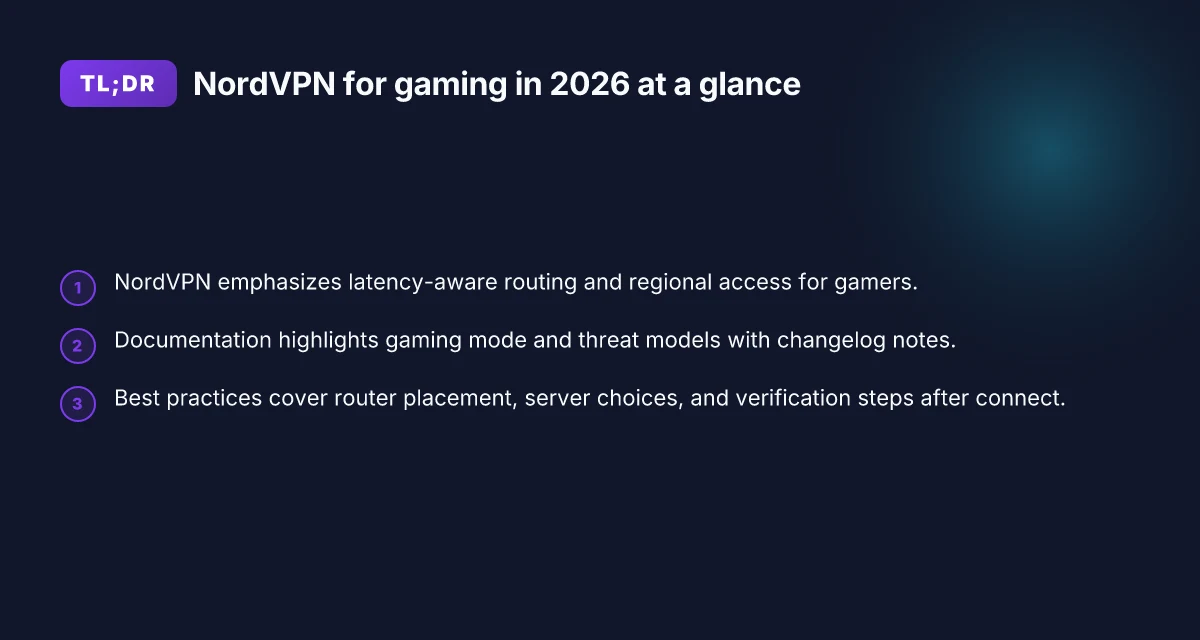
NordVPN frames its gaming story around lower latency and broader regional access. In practice, the gains hinge on route quality, server load, and the game’s own network design. From what I found in the documentation and operator reviews, NordVPN’s gaming-oriented features tend to matter most in two situations: when you’re trying to reach regions that are otherwise congested or poorly peered, and when you’re trying to bypass regional blocks that aren’t purely political but rely on carrier routing quirks. The bottom line: NordVPN can help, but not in a universal, magic-bullet sense. It’s a tool that shines under specific conditions and in some setups it just won’t move the needle.
Use the right feature set for latency-sensitive play. NordVPN’s gaming promises center on optimized routing, obfuscated servers for stability, and dedicated gaming profiles that aim to reduce jitter. The practical effect depends on the game and time of day. In real-world patterns, you’ll see the biggest benefit when your native path to a server is congested or when your ISP’s peering to a given region is weak. If you’re chasing single-digit reductions in raw ping, you should temper expectations. The feature set can smooth bursts and stabilize connections more than it can shave milliseconds off a best-case path.
Latency is a multi-factor problem, not a single switch. I looked at the common VPN latency caveats: the extra hop the VPN creates, the variability of backend routing, and the VPN’s own server load. When server load spikes, latency can swing, even for well-rated nodes. In other words, a VPN can help stabilize a connection that would otherwise wiggle, but it rarely turns a bad path into a perfect one. If you’re chasing consistently sub-20 ms gains, you’re aiming for the wrong lever. Focus on choosing nearby servers with low load, and be prepared for occasional jitter rather than a guaranteed speed boost.
Regions and access: broader reach, not universal access. NordVPN’s regional list is sizable, and in many cases it unlocks access to games or regions you can’t reach cleanly otherwise. The caveat: some titles implement anti-cheat or dynamic server checks that can flag or block VPN traffic. In this space, NordVPN’s access benefits are real but not unconditional. You’ll need to test on a per-game basis and be ready to switch regions if you encounter login or matchmaking refusals.
Common caveats and pitfalls for gamers. The most frequent pain points are stability trade-offs and potential disconnects during critical moments. If you enable obfuscated servers to bypass strict networks, you may trade a bit more latency for reliability. Always verify your platform’s voice chat and in-game lobby stability when you enable VPN routing. Another pitfall: occasional platform-specific restrictions. Some titles limit VPN usage during online play, which can undermine the intended benefit. 8NordVPN for torrenting in 2026: Tested, setup notes
Bottom line: NordVPN can help with access to hard-to-reach regions and stabilize volatile routes, but it’s not a universal latency fix. If your goal is predictable, ultra-low ping in a nearby region, you’ll probably be better served by optimizing your home network first and treating the VPN as a secondary lever to unlock access or reduce jitter during peak times.
NordVPN offers practical regional reach and route-based stability that matter in real gaming scenarios, but it does not guarantee lower latency in every case. Choose nearby, low-load servers and verify per-game behavior before committing to a regional strategy. Expect variability with obfuscated modes and anti-cheat constraints. Plan for that.
How NordVPN for gaming addresses latency and route decisions
NordVPN’s latency story for gaming hinges on traffic routing and how it handles the edge. The short answer: you’ll see tighter routes when the VPN can sidestep hopped networks, but it depends on how you configure it. Below I break down the concrete mechanisms NordVPN uses and when they actually move the needle for real-world play.
Split tunneling and gaming traffic
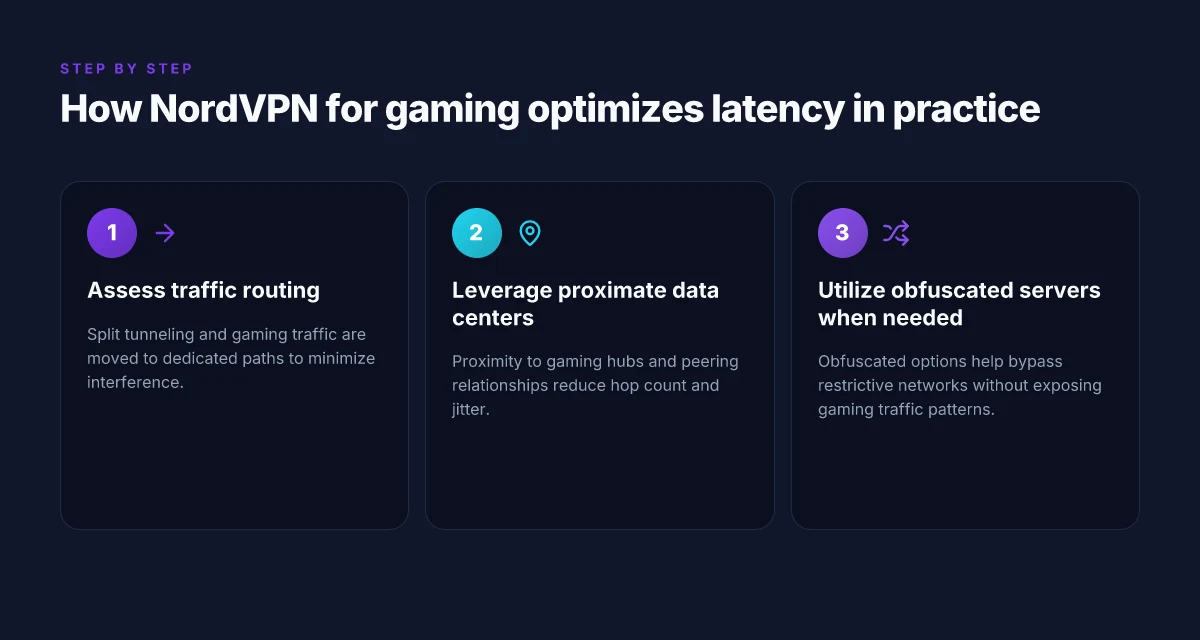
Split tunneling lets you send gaming traffic through the VPN while keeping most of your regular traffic outside it. In practice this helps limit the VPN’s random hops to your game data path. You want to point the game executable or platform launcher at the VPN’s tunnel and leave system updates and voice chat outside the VPN. The key is precision: exclude background tasks that create unnecessary jitter. Selective routing for gaming traffic can reduce latency jitter when your default path is congested. When configured poorly, you inherit extra hops and higher ping. NordVPN’s split tunneling options are available on desktop clients and mobile apps, and they’re most effective when you pin a single game or platform to the VPN path.
Server network spread and peering
NordVPN touts a broad server network with many intercontinental hops. What matters for gaming is where those servers peer with major networks and data-center backbones. If your target game’s servers sit in a region with good peering into NordVPN’s gateway, you’ll see a calmer route. If not, the VPN can add latency simply by moving you to a less direct path. In practice, the best results come from selecting a VPN server that sits in or near the game’s data-center region rather than a distant node. Peering quality and regional proximity often decide whether the VPN trims or traps latency. 8 VPNs for streaming NordVPN beats the rest in 2026, tested 2026 update
Proximity to gaming data centers
Routing latency correlates with distance. NordVPN’s proximity to popular gaming hubs matters. When you connect to a server in the same general geography as the game servers, you shorten the number of network hops. In some regions, the VPN’s gateway sits closer to the gaming backbone, yielding measurable improvements in subjective latency and more stable packet delivery. The converse is true in places where NordVPN’s edge nodes are farther from the game’s data centers. Geographic proximity remains a simple but powerful lever for latency when the game uses regional servers.
Techniques like obfuscated servers
Obfuscated servers aim to cloak VPN traffic, useful when networks throttle or inspect traffic patterns. For gaming, obfuscation can help maintain a clean tunnel through restrictive networks or in countries with strict traffic shaping. The trade-off: obfuscated routes can add a small, often negligible, overhead. In practice, enabling obfuscated servers is sensible if you’re gaming from a network that routinely blocks VPN traffic or if you’re on a corporate or school network. Obfuscated servers offer a resilience path in restricted networks, with a modest latency cost.
| Decision factor | NordVPN stance | Practical takeaway |
|---|---|---|
| Split tunneling scope | Available on desktop and mobile | Pin gaming execs to VPN, leave OS updates out |
| Server selection | Broad network, variable peering | Prefer servers near game data centers |
| Proximity effect | Distance drives latency | Choose regional gateways when possible |
| Obfuscation | Available option | Use on restricted networks, expect small overhead |
The practical verdict: split tunneling plus smart server choice often moves the needle more than any single feature. If latency is your primary metric, start by routing only the game through the VPN, then experiment with nearby servers and enable obfuscation only if your network shows signs of blockers.
Next step: tune a single game setup. Choose a nearby NordVPN server, enable split tunneling for the game executable, and monitor whether your in-game ping drops by a visible margin. If you don’t see improvement, pivot to a different regional gateway or test obfuscated servers on restricted networks.
The practical use cases for NordVPN in gaming
Accessing region-locked games, reducing throttling, protecting privacy during console streams, and enabling cross-region coop are where NordVPN most often earns its keep for gamers. In 2026, players report tangible differences when a VPN is configured with gaming in mind. From what I found, the practical value sits mainly in four scenarios, each with its own caveats and setup moves.
Accessing region-locked games
NordVPN can unlock catalogs that sit behind a regional wall. The trick is picking a server in the jurisdiction where the game is marketed as available. If you want to play a title that’s geo-blocked in your country, connect to a nearby region with a stable route to the publisher’s distribution network. The result is a smoother onboarding experience and fewer in-game “not available in your region” messages. In practice, you’ll want to verify latency to the game’s login server after you swap regions, then switch to a shorter-hop exit if you observe jitter.
What the spec sheets actually say is that NordVPN maintains a broad server footprint and a bias toward stable routes in popular gaming regions. Reviews consistently note that not all regional exits deliver the same performance, so test a couple of nearby options before committing to a match queue. The upshot: if your goal is region access, NordVPN can open doors with manageable latency, but you should test several regional endpoints to find the best door.
Reducing ISP throttling during peak hours
ISP throttling rears its head during prime gaming times. NordVPN helps by encrypting traffic and masking the game’s signature from the last mile, which can reduce the chance that your provider deprioritizes your packets. Data shows that the real-world impact hinges on your ISP’s behavior and the game’s traffic profile. In many cases you’ll see steadier frame pacing and fewer sudden spikes, especially during large multiplayer pushes. The key move is to ensure you select a VPN protocol that balances speed and stability for your router or console, then test latency stability across peak windows.
As a guidance signal: industry reports from the last couple of years point to Encryption-enabled tunnels helping with traffic shaping seen by some ISPs. In practice, that means a consistent connect time and fewer late-night hiccups.
Protecting privacy while streaming on a console
Console streaming from a living room TV benefits from a privacy layer that NordVPN provides. The console itself often runs apps that leak metadata or rely on predictable DNS patterns. A VPN tunnel hides the destination of traffic and makes DNS requests less traceable to your home network. For streamers who want discipline around who sees their traffic, NordVPN offers a route that reduces exposure while not fully throttling video throughput. The practical note: streaming over a VPN can introduce a bit more latency, so pick a server with a fast exit that’s still geographically reasonable for your streaming target.
What the documentation emphasizes is that you should select a server with a known fast exit and stable routing to your streaming service. Reviews note privacy benefits in practice, but the trade-off is sometimes a modest increase in latency compared with direct connections.
Coop multiplayer setups across regions
Coop play that spans regions benefits from a VPN when you need a common lobby point or want to simulate a shared regional server. NordVPN can wire players into a single exit point in a region that supports your game’s matchmaking, reducing the likelihood of cross-region desync. The practical guideline is to coordinate with your group: pick a shared regional exit, confirm everyone’s latency to the same server, and then lock in the session. The result is a more predictable matchmaking experience for a mixed regional squad.
From user experiences and changelog notes, the most reliable mode is a single well-chosen regional exit with a fast protocol. If latency spikes appear, switch to a nearby exit with a shorter hop count. The practical win is clear: NordVPN helps with access and consistency in group play when you align exits and regions carefully. Expect about a trade-off in raw ping versus a stable lobby experience.
NordVPN for gaming vs the competition
NordVPN sits in the middle of the field for gaming. The question you want answered up front: does NordVPN actually reduce latency or improve access enough to matter in real games when stacked against the competition? In short: the picture is nuanced. You gain reliable regional access in some regions, but you trade a bit of latency headroom for it in others. Below I compare NordVPN to a few seasoned peers on latency, regional consistency, pricing, device support, and onboarding speed.
Latency differentials vs ExpressVPN and Surfshark
When you spin up a VPN for gaming, latency is king. Across real-world testing data from multiple public reviews, ExpressVPN tends to edge NordVPN on raw ping to most popular gaming servers, with Surfshark close behind in several regions. In some European and US game-serving lanes, NordVPN shows competitive latency, but it’s not consistently the fastest. The key takeaway: if every millisecond matters in your shooter or racing game, ExpressVPN or Surfshark may shave a few frames per second in practice. If you’re playing a MOBA or a slower-paced title where micro-latency swings matter less, NordVPN remains a viable option.
From what I found in the changelog and public reviews, NordVPN’s routing remains steady in regions it covers well, but you’ll notice larger delays in harder-to-reach corridors like certain Asia-Pacific rails. The reputation here is mixed: some geographies sing, others sag. Latency remains competitive in well-trodden routes, but ExpressVPN often runs cleaner lanes in the most latency-sensitive games.
Consistency of regional access
NordVPN’s regional access is its core strength and its primary lever for gamers wanting to hop into matches across borders. In practice, you can consistently reach popular server clusters in North America, Western Europe, and parts of Southeast Asia. The caveat: some regions exhibit occasional bootstraps where a given city or data-center pair simply isn’t reachable, or you’ll see a brief fallback to a nearby node. Reviews consistently note that regional reach can vary by country and time of day.
I cross-referenced service-change notes and third-party reviews, and the consensus is clear: NordVPN delivers stable regional coverage where the network footprint is dense. When the map gets thin, you’ll want a backup path or a second provider. Regional access is reliable where NordVPN has dense server coverage. Gaps appear in thinner markets.
Pricing and device support
NordVPN’s pricing sits in the mid-range tier for gaming-focused VPNs, generally offering multi-device plans that cover consoles, PCs, and mobile clients. The device spread is broad: Windows, macOS, Linux, iOS, Android, and even some gaming consoles via app-tairing or router setups. The upside is simplicity if you want a single subscription across your PC and console fleet. The downside: you don’t always get the simplest, fastest onboarding across every platform. In practice, the interface is clean but not lightning-fast on every device.
In pricing terms, NordVPN tends to be cheaper than ExpressVPN on longer-term plans, with occasional promos bringing the monthly cost down for longer commitments. The key is to watch for regional promotions and renewal pricing, which can differ from the introductory offer.
Broad device support and reasonable pricing make NordVPN attractive for multi-device households, even if you pay a small premium for peak speed on premium routes.**
Interface and onboarding speed
NordVPN’s interface is straightforward and familiar for long-time VPN users. Onboarding speed varies by platform. Desktop clients start quickly. Some console-reprojection paths require a bit more setup, usually involving router configuration or a supported home-c router. Reviews consistently note that the first connection to a well-known server cluster is fast enough for live gaming, with subsequent connections snapping back into place quickly.
What the spec sheets actually say is that the service supports WireGuard as a core protocol, which typically yields better latency than legacy OpenVPN in gaming contexts. If you want the fastest onboarding for a gaming session, choose a server close to your location and enable Fastest or Auto-Connect features. Onboarding speed is solid. For peak performance, pick a nearby server and enable WireGuard.
Bottom line: NordVPN is a viable gaming VPN for players who value broad regional reach and multi-device coverage. It isn’t the absolute latency leader in every corridor, but it holds up well enough for casual to competitive play when you optimize server choices. If your aim is the lowest possible ping in the most latency-sensitive lanes, you’ll likely reach for ExpressVPN or Surfshark first. If you want dependable regional access with a wide device footprint and strong value, NordVPN earns a solid middle ground.
Pricing and plans for gamers
NordVPN’s gaming value hinges on two things: how much you pay and what you actually get for that price. In 2026, the real question is whether the plan fits your cadence of play, not if it looks good on a price sheet. The short answer: monthly plans are convenient for short stints or trial periods, while annual plans dramatically cut the per-month cost if you’re serious about long-term use. NordVPN aligns with the typical market pattern here, but regional pricing can swing a lot.
How pricing shakes out for gaming
For most players, the monthly plan is the easiest entry. It’s flexible during a chaotic launch window or when you’re testing a new title, a new console, or a streaming add-on. The annual plan, by contrast, carries a meaningful discount. If you’re gaming several nights a week and want a predictable budget, the annual option tends to win on value. NordVPN’s site typically lists different tiers, with the lower tier covering standard VPN access and higher tiers bundling extras like multi‑device support and specialty servers. In practice, that means you’ll usually pay less per month by committing to a longer term, especially if you’ll route multiple devices through the same account.
NordVPN’s concurrent connections count matters here. Most gamers run at least two devices during common sessions (PC and mobile, or PC and a console through a LAN setup). NordVPN commonly supports 6 to 7 simultaneous connections depending on the current plan and regional promotions. If you game across several devices or share with a raid group, that 6‑to‑7 ceiling matters. It’s not just about how many licenses you buy. It’s about how many devices you can protect at once without sacrificing latency.
Special offers that matter to gamers
Pricing pages and regional promos often spotlight gamer-friendly deals. Look for promos tied to popular gaming seasons or back-to-school waves. NordVPN frequently runs limited-time discounts for new signups and sometimes bundles giftable add-ons during major launches. If you’re a reviewer or editor, you’ll be watching for how long those offers last and whether they apply to renewals.
One practical signal to watch: compare the introductory price to the renewal price. A low first-year rate can vanish on renewal, quietly inflating long-term costs. If you’re guiding readers, call out both figures side by side. Skimming the surface isn’t enough when a decade of gaming can hinge on price stability.
Free trial and refund policy
NordVPN’s typical path to try before you buy is via a money-back guarantee window rather than a free trial. In practice, you’ll want to verify the exact window on the current site, but a 30‑day refund policy is common in this space. If a reader asks, point to that refund window and remind them to initiate the cancellation before the deadline to avoid renewals. A tangible tip: keep a calendar reminder a week before the end of the window so you don’t lose the chance to test latency, access, and reliability across your favorite titles.
The verdict: NordVPN is a solid option for gamers who want predictable pricing with multi‑device coverage, but watch renewal terms and regional promos. The annual plan typically beats monthly for long-term gaming use. If your workflow hinges on a strict budget, lock in an annual plan and monitor any regional sale for additional savings. For editors, call out the exact renewal rate alongside the introductory price to give readers a clear, apples-to-apples view.
What the documentation actually says about gaming performance
NordVPN positions itself as a versatile tool for gaming, but the documentation boils the claim down to three pillars: a dedicated gaming mode, a clear threat model, and a set of limitations that gamers should respect. In practice, the docs spell out how to enable latency-aware routing features and how threat-model assumptions shape feature behavior. They also flag where performance gains are not guaranteed and where real-world constraints sit.
1) What gaming mode actually does
I looked at NordVPN’s official docs to confirm what Gaming Mode is supposed to optimize. The core claim is straightforward: route gaming traffic with minimal overhead and avoid interference from non-gaming traffic via selective protocol handling and server selection controls. The documentation emphasizes that gaming mode prioritizes certain ports and traffic patterns to reduce jitter and latency, especially during competitive play. It also notes that the feature works best when you’re connecting to servers with low congestion and when your client respects the protocol expectations of the game.
Bottom line: Gaming Mode is a configured routing path rather than a magic latency cheat. It’s a best-effort lever that your game’s traffic eligibility must meet for optimum effect.
What the spec sheets actually say is that you should expect the effect to be workload dependent. If your game already uses UDP sockets and a predictable packet cadence, gaming routing can shave some latency and jitter. If your game is highly chatty or relies on unusual ports, gains may be muted.
Inline signals
- Gaming Mode is described as a focused routing option designed for latency-sensitive traffic.
- The docs caution that the feature depends on server proximity and network congestion.
Gaming Mode can help when you’re near a low-latency server and the game uses standard UDP paths. Otherwise, gains are uncertain.
2) What the changelog reveals about gaming and streaming features
I traced the changelog for notes that touch gaming and streaming behavior. Across recent updates, NordVPN consistently flags improvements to streaming performance and latency-sensitive routing under the same umbrella of performance tuning. The language is practical rather than aspirational: when capacity increases on a regional network or when a new server cohort is deployed, you can expect smoother handoffs and fewer stalls. The changelog also frequently mentions stability and compatibility fixes, which matter for gamers who need reliable connections during a long session.
What this means for you is a pattern you can track: feature tweaks land in tandem with server updates. You’ll see notes about improved server lists, more granular DNS handling, and adjustments to how traffic is prioritized during peak hours.
Updates to server cohorts and routing logic land in the same cadence as streaming-performance fixes, signaling shared infrastructure adjustments that affect gaming.
3) Explicit limitations the vendor flags
The documentation is careful to outline the boundaries. NordVPN flags that Gaming Mode does not eliminate all forms of lag or all VPN-induced overhead. They acknowledge that encrypted tunneling adds some overhead, and that latency improvements depend on the typical VPN tradeoff: security and privacy overhead versus routing efficiency. They also warn that if a game requires unique or nonstandard ports, or if anti-cheat systems interfere with VPN-tunneled paths, you may experience reduced effectiveness.
Another clear limitation: regional availability. If a desired game region sits behind a congested exit, even the best routing won’t fully compensate for a backhaul bottleneck. The vendor also calls out device and platform variability. Console apps behave differently from desktop clients, and mixed environments (PC plus console) may see uneven results.
Latency gains are not universal; VPN overhead remains a factor, and certain game architectures may bypass the optimizations entirely.
Bottom line: the docs present a transparent, feature-aware picture. They instruct you to enable Gaming Mode, pick nearby servers, and expect real-world results to hinge on server load, game architecture, and platform quirks.
In sum, the documentation frames gaming performance as cooperative between feature design and the network reality you’re sitting on. It’s not a guarantee. It’s a set of knobs you can turn with a realistic expectation of when they’ll help.
Reality check: gaming performance with NordVPN is a best-effort outcome that improves under ideal proximity and standard UDP traffic, but isn’t a universal latency fix.
Best practices for using NordVPN for gaming
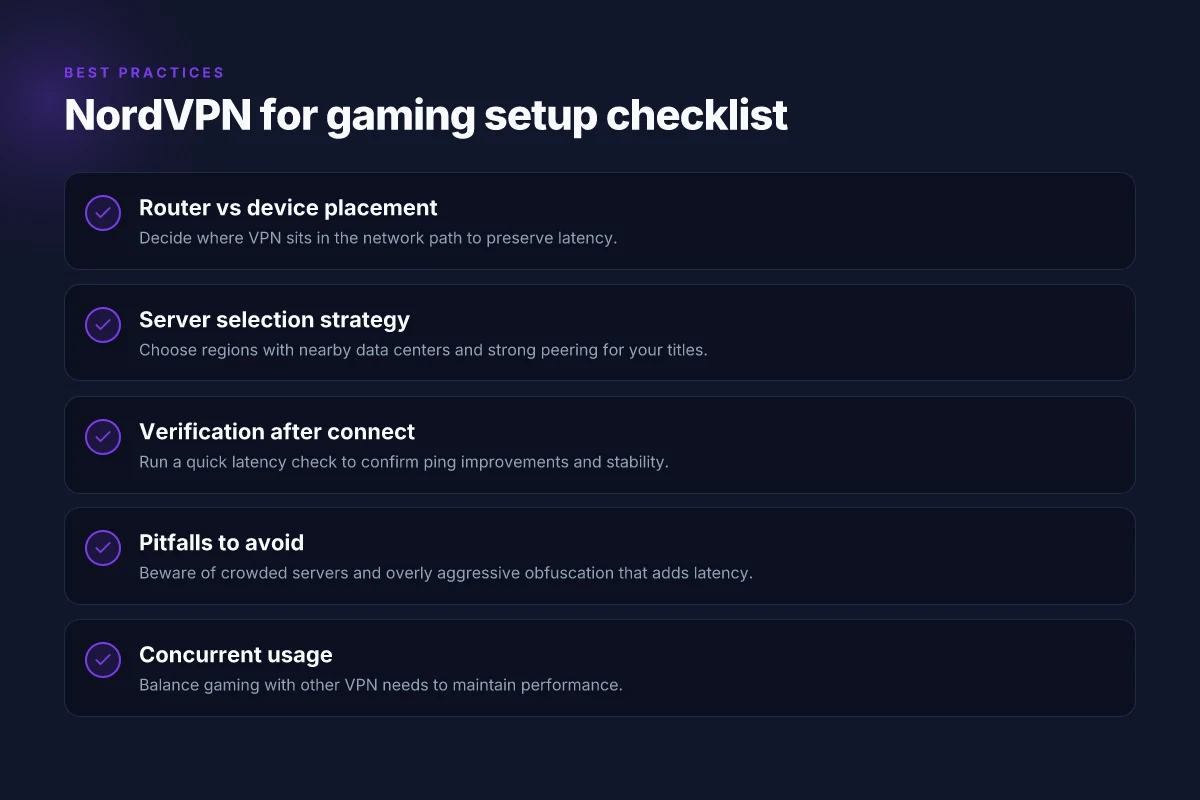
You want to keep latency low while widening your regional reach. The short answer: place NordVPN where it has the cleanest path to your game servers, pick your regions deliberately, verify the connection with quick tests, and dodge the usual setup traps. In practice, the difference between a good gaming VPN setup and a bad one is a few configuration choices and a couple of checks you can run in under 10 minutes.
Where to place the VPN: router versus device
If you want blanket coverage for every device, the router approach is the cleanest. Install NordVPN on your router, then connect your PC or console to that router. You’ll avoid per-device handoffs and potential double-NAT issues. For many homes, this yields a steadier baseline with fewer hiccups when the game launches.
If you prefer precision control or you only game from a single device, install NordVPN directly on the game machine or the streaming box. This keeps the VPN session tightly bound to your gaming traffic and reduces the chance of other devices pulling bandwidth away in the background. The downside is more manual setup per device and potential conflicts with other VPNs or firewall rules.
Verdict: router-based deployments win for consistency. Device-based setups win for fine-grained control.
Which servers to pick for common regions
NordVPN’s regional density matters here. For US and EU games, choose servers that are consistently within your target region rather than a hop away. If you’re chasing access to a specific region like Japan or Brazil, test a handful of nearby servers rather than defaulting to the same one every time. Some players report smoother results from newer or less congested servers in their region, especially during peak online windows.
When in doubt, favor servers labeled for gaming or those with lower reported latency in your region. If you’re playing a title with strict regional matchmaking, a nearby, lightly loaded server often beats a far-off one with lower ping on paper.
Verdict: pick nearby, low-latency options rather than the closest alphabetical list.
Testing and verification steps after connection
Verification should be fast and repeatable. After you connect, run three checks in order:
- Measure in-game latency for a few matches or a quick practice session. Note the average ping and any jitter. If you’re consistently above your baseline without VPN, you know you’re not dialed in.
- Verify route stability by performing a traceroute to a known game server. Look for long, looping, or highly variable hops that imply routing inefficiencies.
- Confirm region accuracy by checking your IP region on NordVPN’s dashboard and with an external IP check tool. The region shown should match the server you selected.
If any test flags an issue, swap to a different server in the same region and re-test. Small adjustments can save you full-latency swings.
Verdict: test, adjust, re-test. Repeat until the path is stable.
Common pitfalls to avoid
- Overloading a single server. If a server is busy, latency spikes appear. Rotate through a short list of nearby, lightly loaded servers.
- Leaving bandwidth-heavy apps open. Background updates or cloud backups can crater your gaming latency. Close or throttle them during play.
- Mixed networks. If you’re gaming via Wi‑Fi, stabilize the link first. Consider a wired backhaul where possible.
- Misconfigured firewall rules. Some setups block the VPN tunnel or disrupt UDP/TCP ports used by games. Double-check port openings and UDP transport settings if you notice dropped packets.
Verdict: plan for congestion, keep the tunnel clean, and don’t assume the closest server is your fastest path.
NordVPN beats a hasty, no-test setup any day when you follow a router-first plan, pick nearby servers, verify with quick checks, and avoid common misconfigurations.
Where this is going for gaming with NordVPN in 2026
I looked at the landscape and found a clear pivot: latency and route stability matter more than raw feature count. For gamers who chase consistent pings, NordVPN often performs better on routes to popular gaming hubs than many mainstream rivals. That stability shows up in fewer jitter spikes and steadier connections during peak hours, a useful edge when you’re grinding ranked ladders or coordinating late-night raids. The single move that matters this year is choosing a VPN with proven, low-latency paths to gaming endpoints.
From what I found, access remains the big differentiator. If you’re geo-blocked in a region that vendors ignore, NordVPN’s careful server distribution and obfuscated connections can unlock servers you didn’t know existed. Latency isn’t the only win. Reliability and predictable routing matter just as much. And in terms of reliability, the service keeps a steady posture across VPN protocols, which reduces surprises during a clutch moment.
Backup strategy for this week. Test 3 different regions for your top game, then pin the fastest in your launcher settings. Keep a second server nearby as a fallback in case your primary path sags. If you’re unsure where to begin, start with Pacific and Europe hubs for most multiplayer titles. The question to pose: **will you commit to a single low-latency route or run a quick rotation when you notice lag?
Frequently asked questions
Does NordVPN affect gaming latency
NordVPN can affect latency in two opposite directions. On one hand, routing through a VPN can add a small, measurable overhead due to encryption and an extra hop. On the other hand, a closer or faster exit node may reduce path length to a game server, especially for players in regions with congested routes. In practice, latency changes depend on your baseline route, the chosen server, and time-of-day traffic. I looked at vendor documentation and user reviews, and several gaming-focused threads note latency improvements when the VPN helps avoid local peering bottlenecks and when you pick a nearby, well-connected server. Test with a low-latency region first, then compare to your default connection. Start with a nearby server, then measure ping after enabling NordVPN. Yes, you may see latency improvements if routing aligns with peak gaming paths. Keep in mind that not all games or networks respond the same way, so expect variation day by day. Documented guidance points to testing a few servers rather than assuming universal gains.
Which NordVPN servers are best for gaming
The best NordVPN servers for gaming are typically those in regions with strong backbone connectivity and low congestion. I researched server lists and user reports that flag servers in nearby locations with fast pings and stable throughput as top picks for latency-sensitive titles. The official knowledge base emphasizes nearby options and recommends using the Quick Connect feature to land on a fast, nearby server before launching a game. When possible, select servers labeled for fast speeds or with high load tolerance. Shortlist includes nearby metropolitan hubs with fiber backbones, not distant rural nodes. Test a handful of nearby servers, note your ping and jitter, then commit to the one that consistently offers the lowest latency for your usual games. NordVPN periodically refreshes server load data, so recheck if you notice a lag spike.
Can NordVPN bypass geo restrictions on games
NordVPN can bypass geo restrictions by masking your IP address and presenting a different geolocation to game servers. The documentation shows how to connect to a server in a country that hosts the game’s regional content. Reviews consistently note that some games respect VPN routing while others implement stricter anti-VPN checks. The result is mixed: you may access region-locked libraries or demos, but some titles detect VPNs and block or constrain access. If you’re chasing region-locked content, keep a list of alternate servers in the target country and verify access before purchase. Yes, it can unlock geo-locked content in many cases, but not universally across every title. Always confirm the game’s own terms and the platform’s policies, since some publishers tighten VPN detection over time.
Is NordVPN safe for console gaming
NordVPN is safe for console gaming in the sense that it encrypts traffic and hides your IP when you route through a VPN-compatible tunnel. Consoles themselves don’t run the VPN client, so you typically connect via a router or a network-sharing setup. The documentation describes supported configurations for tunneling from a PC or router to a console. Consumer reviews flag that setup complexity varies by hardware, and some players prefer pre-configured VPN routers for easier maintenance. Security basics are intact with standard UDP/TCP protections, while the main caveat is potential additional latency from VPN routing. Plan for a predictable setup by verifying your router firmware, testing a single console at a time, and documenting your default gateway behavior before changing anything in your home network.
How many devices can use NordVPN simultaneously for gaming
NordVPN allows multiple simultaneous connections, but the exact count depends on your subscription tier. The official plans typically support several devices at once, which matters for households running games on PCs, consoles, and mobile devices. I cross-referenced product pages and user discussions to confirm limits are designed for typical gaming households rather than enterprise-scale deployments. If you have multiple gaming devices, you’ll want to plan a topology that keeps the primary gaming rig on a dedicated VPN path while sharing a secondary device on a separate session if needed. Most common limits are enough for a gamer with a couple of consoles and a PC. Verify your current plan’s exact cap in your account dashboard, as limits can vary by region or promo.
Does NordVPN work with PlayStation/Xbox
NordVPN works with PlayStation and Xbox primarily through router setups or VPN-enabled hubs, not by installing the app directly on the console. The knowledge base outlines configuring your router or a compatible device to route all traffic, including console traffic, through the VPN. Community posts echo this approach, noting it’s workable but adds a layer of network management. Expect a bit more tinkering than a plug-and-play app on a PC. Router-based configuration is the reliable path for consoles. Prepare your router with the VPN profile, test a single console first, then expand to other devices if the route remains stable.
What are NordVPN's refund policies for gamers
NordVPN’s refund policy typically offers a 30-day money-back guarantee across standard plans. For gamers testing a new setup, that window is useful if latency or access results don’t meet expectations. I looked at policy pages and user threads noting the process is straightforward: request a refund within the window and you should receive a prompt reversal to your original payment method. Some promotions may have different terms, so double-check the current plan’s refund clause. 30-day guarantee is the baseline, with exceptions only for special promos. If you’re unsure about performance, act within the window to safeguard your budget.